



Apply your standards, automatically.
Atomiq intelligently retrieves past workbooks and applies your standards to new work, reflecting your preferences and expertise.
 A1
A1features
In finance, 80% right is 100% wrong. Let an agent handle the routine work and keep every judgment call yours.
Atomiq intelligently retrieves past workbooks and applies your standards to new work, reflecting your preferences and expertise.
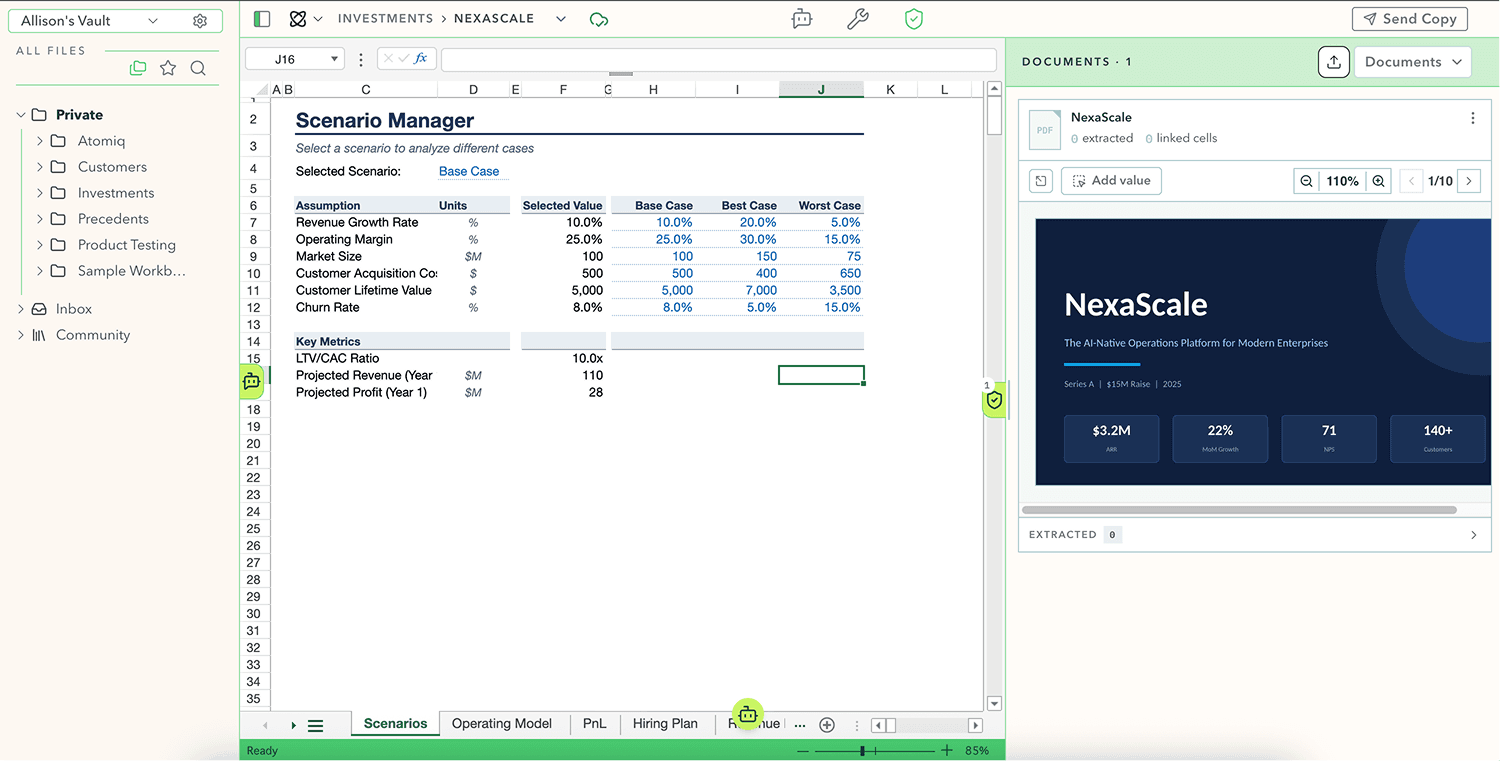
When Atomiq pulls a number from a PDF or a third-party source, it attaches a link back to exactly where that value came from. You can verify it yourself inside the workbook.
Every change Atomiq's agent makes is logged and isolated — you can see exactly what changed, when, and why, and rewind to any point in a workbook's history.
Compatibility


Claude · OpenAI · Gemini
security
SOC 2 readiness work is in progress.
On paid plans, your content remains yours, your agent adapts to your context and best practices to produce better outputs for you, and your content is never used to train models for anyone else.
All data is encrypted both in transit and at rest. Your information is protected using industry-standard encryption throughout its lifecycle.
Built on AWS, Atomiq follows industry-leading cloud security practices, including least-privilege access controls, continuous monitoring, and secure infrastructure management.
FAQ
Upload a spreadsheet you already use and begin working right away. There is no migration project, lengthy implementation, or complex setup.
Yes. Atomiq works with spreadsheets created in Microsoft Excel and Google Sheets. Import your existing files, work on them in Atomiq, and export them whenever needed. Your work remains portable and fits into your existing workflow.
It is always important that you check the work of AI. Atomiq makes this easier by learning from your best examples, running careful validation workflows, and providing tools that help you understand what the agent did and validate its work quickly.
Atomiq does not currently support macros or pivot tables. We are continuing to expand compatibility with Microsoft Excel and Google Sheets as the product develops.
Atomiq is built for complete financial workflows, not just AI-generated answers. It combines spreadsheet generation with source traceability, file management, version history, and tools for reviewing every change.